
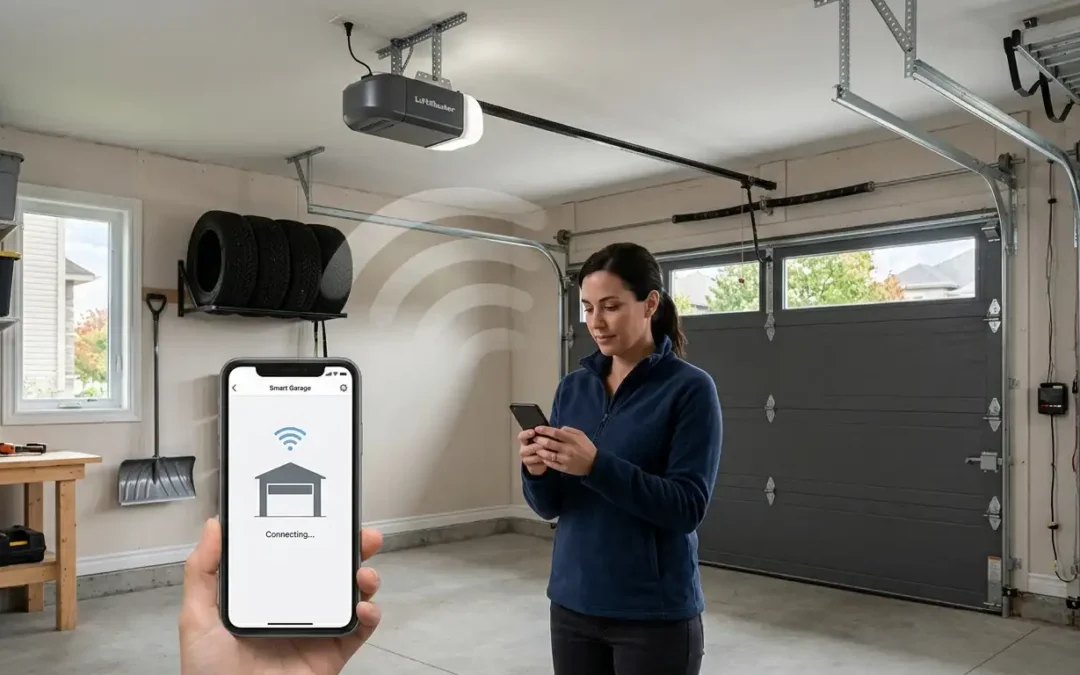
A Wi-Fi garage door opener turns a simple button into a connected system you can monitor and control from anywhere. Left the house and cannot remember if the door closed? Check your phone. Want to let a delivery driver in without sharing a remote? Grant temporary access. For most LiftMaster and Chamberlain openers, the app that makes all of this possible is MyQ, and getting it set up correctly is what unlocks the convenience.
This guide walks Ottawa homeowners through what a Wi-Fi garage door opener and MyQ actually do, how to set them up step by step, and how to keep everything reliable through our winters. As a garage door company ottawa homeowners have trusted for decades, we set these systems up every week.
What a Wi-Fi Opener and MyQ Actually Do
A Wi-Fi opener connects to your home network so you can operate and monitor the door remotely. MyQ is the app layer on top, and it lets you:
- See whether the door is open or closed at a glance
- Get alerts whenever the door opens or closes
- Open or close the door from anywhere
- Set schedules and grant guest access
Because we install LiftMaster openers, and every one includes MyQ capability, these features are built in rather than bolted on. For a fuller look at the benefits, our guide to smart garage door openers ottawa covers what connected openers bring to a home.
Before You Start: What You Need
A smooth setup depends on a few basics:
- Reliable Wi-Fi coverage reaching the garage
- A 2.4 GHz network band, which is what most openers use
- A working power outlet near the opener
- The MyQ app installed on your phone
It also helps to know your opener model, since setup varies slightly between units. If you are unsure about power or headroom for the unit, the garage door materials and specifications for your setup are a good reference.
Step by Step: Setting Up Your Wi-Fi Opener with MyQ
Connecting the Opener to Wi-Fi
The core process is straightforward:
- Download the MyQ app and create an account
- Choose to add a device and select your opener type
- Put the opener into Wi-Fi pairing mode, usually by pressing and holding the learn or Wi-Fi button until the indicator light changes
- Connect your phone to the opener’s temporary network if prompted
- Select your home 2.4 GHz network and enter the password
- Once the opener joins your network, name the door and test opening and closing from your phone
If Your Opener Has No Built-In Wi-Fi
If your opener is older and lacks built-in Wi-Fi, a MyQ bridge or hub can add the capability. The app walks you through pairing that small device to your existing opener, giving you the same app control without replacing the unit.
Adding Users and Guest Access
One of MyQ’s most useful features is sharing access without handing out remotes:
- Invite family members as users, so everyone gets alerts and control
- Grant guest access to a dog walker or delivery service for a set window
- Review the activity log, which records every open and close with a timestamp
Troubleshooting Common Connectivity Problems
Most setup headaches come down to signal. If the opener will not connect or keeps dropping, work through these:
- Check Wi-Fi strength in the garage, and add a mesh node or extender if it is weak
- Make sure you are connecting to the 2.4 GHz band rather than 5 GHz, since many openers do not support 5 GHz
- Double-check the network password
- Restart the opener and router if pairing stalls
If the hardware itself seems to be the problem rather than the network, our garage door repair team can diagnose it, and our garage door technicians can confirm the opener and antenna are working as they should.
Cold-Weather and Winter Reliability in Ottawa
Ottawa winters test every opener. Extreme cold can slow performance and drain any backup battery faster, so it is worth confirming your model is rated for our temperatures and keeping its firmware current. Battery backup is especially valuable here, since it keeps the door and its smart features working during the ice-storm power outages we see every winter. Our guide to the best garage door openers for ottawa homes covers which models handle the cold best.
Do You Have the Right Opener?
If your current opener is old, underpowered, or simply not smart-capable, adding Wi-Fi may not be worth retrofitting. A modern unit installed through professional garage door opener installation arrives MyQ-ready and correctly matched to your door’s weight, and pairing it with a new garage door installation is the cleanest path if you are upgrading both. Our guide to garage door opener cost covers the budget, and standard residential garage door service can handle the whole job.
Commercial Wi-Fi Openers
Connected control is not just for homes. Businesses use it to monitor access and automate opening and closing, and our commercial door operators support smart features on heavier commercial garage doors. Our full range of garage door services covers setup and support for those systems too.
Professional Setup and Service
If you would rather skip the troubleshooting, we handle setup end to end. To see our work, browse our gallery, confirm coverage on our areas of service page, and if you are planning a new door alongside the opener, our garage door customization tool helps you design it.
The Bottom Line
A Wi-Fi garage door opener with MyQ adds real convenience and peace of mind, and setup is usually a short, app-guided process once your Wi-Fi reaches the garage. Get the 2.4 GHz connection right, add your users, and confirm your opener is winter-ready, and you will have remote control and alerts at your fingertips year-round.
Want it set up for you? Contact Amigo Door at 1-613-821-2898 or visit our contact page to book a balance and spring inspection.
Recent Comments